Edge banding
Mark which edges of each panel get banding, see the total length, and price it.
Available onFree toolsProBusinessTeam
Updated September 27, 2026Browse all help topics
Mark edges on a panel
- Step 1: Turn on the Edge banding chip in the toolbar. An EB column appears.
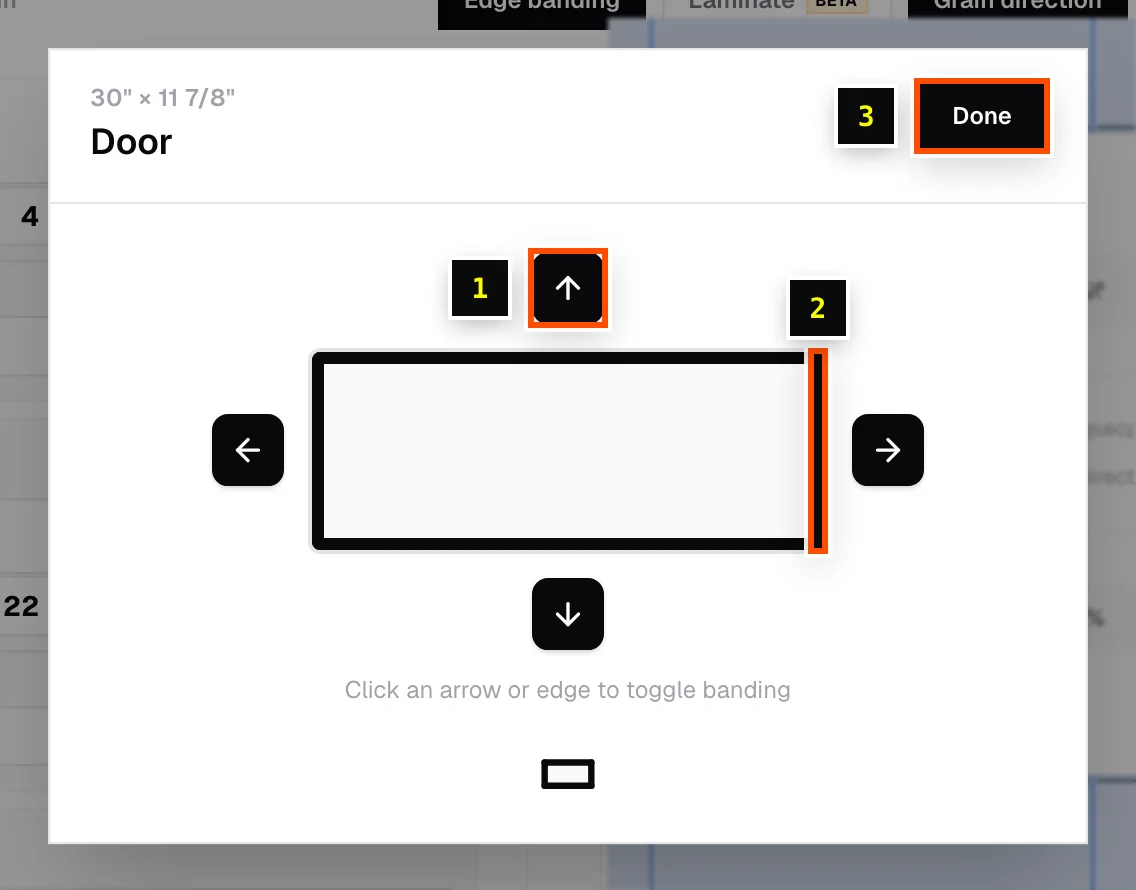
- Step 2: Click the EB cell on a part to open the picker.
- Step 3: Click an arrow, or the edge itself, to toggle banding on the Top edge, Right edge, Bottom edge or Left edge. Click Done when finished.
Total length
The Optimization Result shows the total Edge banding length for the job, in your display units. The PDF export lists banding per part too.
Price edge banding
With the Prices chip on, the Materials tab shows Edge banding pricing. Choose one of:
- Edge banding stock: use a roll saved in your stock library, for example white oak 13/16" at $24.99 per 250 ft.
- Custom pricing: type a price amount and the length it buys, for example
$0.12per1 ft.
Cost is prorated from the banding length the job actually uses.
Related articles
Didn't find what you need?
Email us and tell us which article you were reading.