Enter linear parts
Add cut lengths, set quantities, assign stock, and use Repeat list for repeated assemblies.
Available onFree toolsProBusinessTeam
Updated September 27, 2026Browse all help topics
The parts table
- Step 1: Open the Cut List tab.
- Step 2: Enter a Name, the length and a Qty for each piece. Click Add part for another row.
- Step 3: With several materials, choose each part's Stock in its row.
- Step 4: Untick a row to leave it out of the optimization without deleting it.
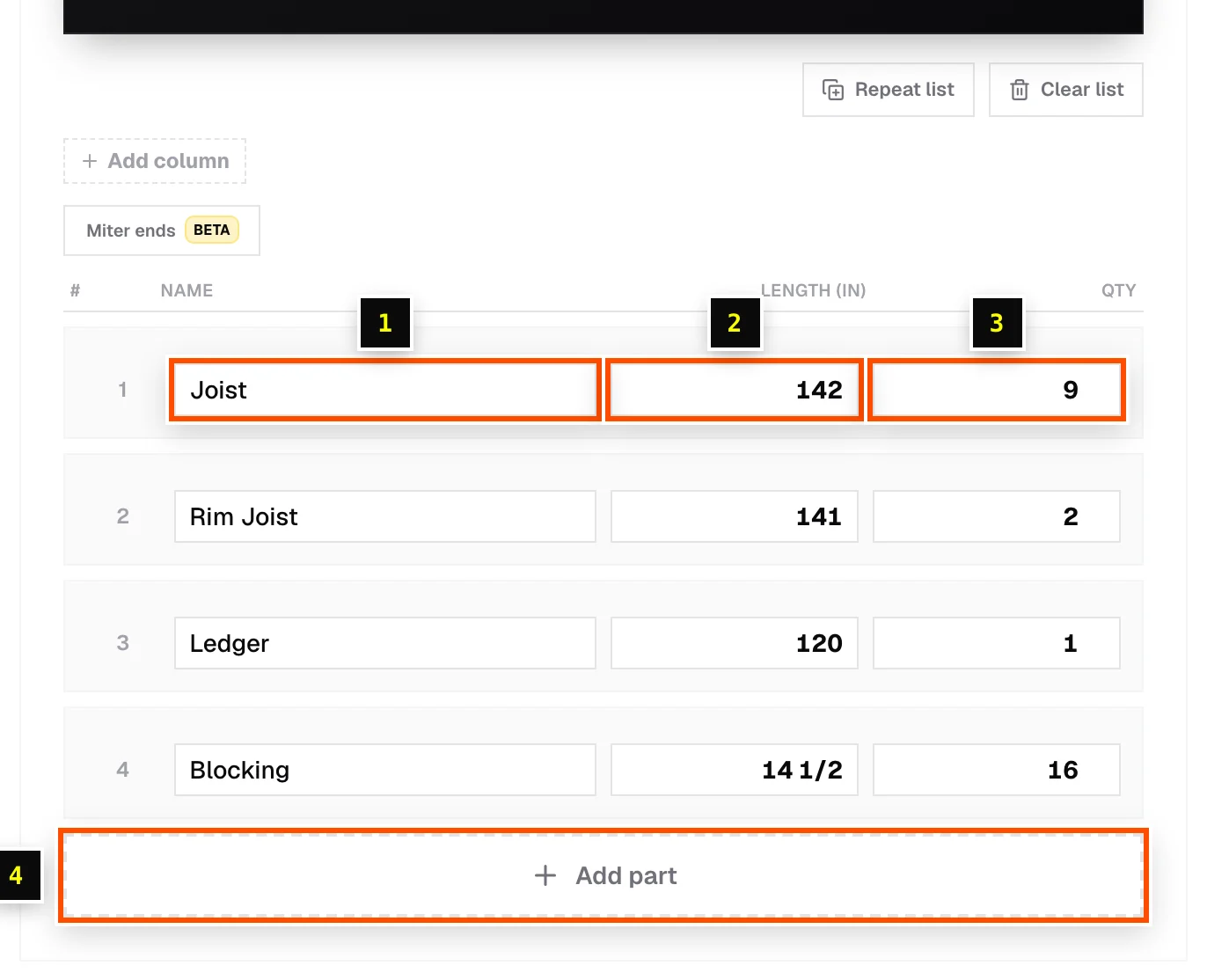
Repeat list and Clear list
- Repeat list multiplies every quantity. Enter 6 Copies to cut six of the same railing section.
- Clear list removes every piece and keeps your materials and settings.
Related articles
Didn't find what you need?
Email us and tell us which article you were reading.