Miter ends
Add miter angles to each end of a piece for frames, trim and casing.
Available onProBusinessTeamBeta
Updated September 27, 2026Browse all help topics
Set miter angles
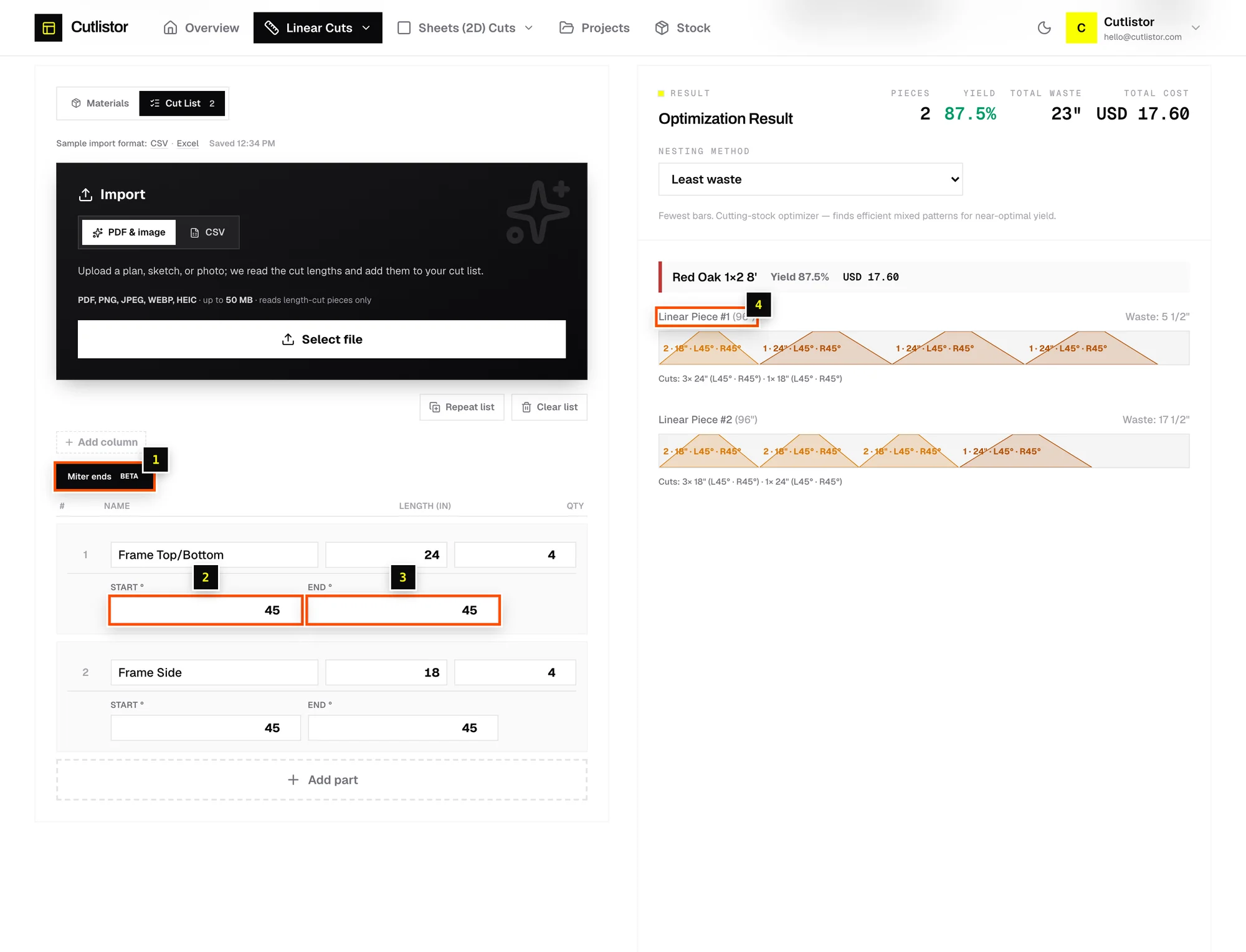
- Step 1: On the Cut List tab, click the Miter ends button above the parts table.
- Step 2: Each part gets Start ° and End ° columns.
0is a square cut. Enter45for a standard frame miter. The maximum is 89°. - Step 3: The length you enter is the part's length. The diagram and PDF show each miter so you can see which way to cut.
Related articles
Didn't find what you need?
Email us and tell us which article you were reading.