Export a PDF cut sheet
Print-ready cutting diagrams and parts tables, with options for mode, orientation and content.
Available onFree toolsProBusinessTeam
Updated September 27, 2026Browse all help topics
Quick export
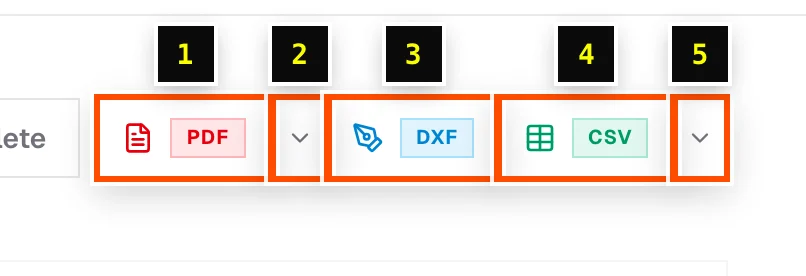
Click the PDF button in the cut list header. The PDF downloads straight away using the options you chose last time.
PDF export options
Click the small arrow next to the PDF button to open PDF export options:
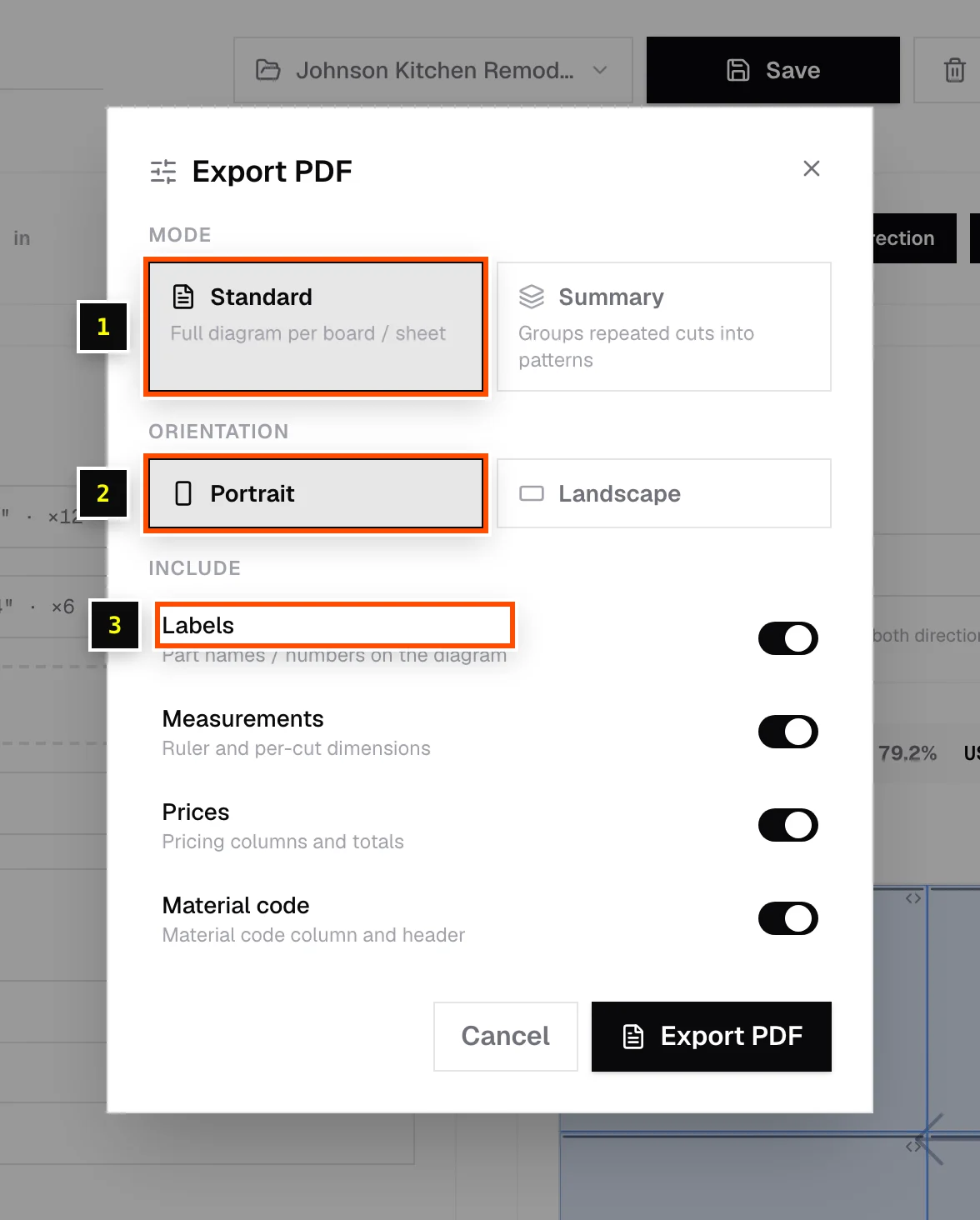
| Option | Choices |
|---|---|
| Mode | Standard: a full diagram for every board or sheet. Summary: groups repeated cuts into patterns (for example "× 4 sheets like this"), which is shorter for production runs. |
| Orientation | Portrait or Landscape. Landscape suits long linear bars and wide sheets. |
| Include | Labels (part names or numbers on the diagram), Measurements (ruler and per-cut dimensions), Prices (pricing columns and totals), Material code (material code column and header). |
Click Export PDF in the dialog to download.
What's in the PDF
- A summary: total sheets or pieces, layout method, yield, and laminate, paint and total price where relevant.
- A parts table with sizes in your display format (for example 23 3/4"), plus edge banding, grain, miter, material and price columns when they're used.
- A cutting diagram for each board, sheet or pattern.
On the free tools
Free-tool PDFs carry a "Generated from www.cutlistor.com" line, and each export counts toward the 3-per-day limit. See Hitting the free daily limit.
Related articles
- Export DXF for CNCSend nested layouts to your CNC router or CAM software as a layered DXF file.
- Export CSV or Excel tablesDownload your cut list, or every nested piece for shop labels, as CSV or Excel.
- Toolbar chips: Labels, Material code, Material groups and moreWhat each on/off chip in the editor toolbar does.
Didn't find what you need?
Email us and tell us which article you were reading.