Kerf / blade thickness
Account for the material your saw blade removes with every cut.
Available onFree toolsProBusinessTeam
Updated September 27, 2026Browse all help topics
Kerf is the width of material a blade turns into sawdust. A full-kerf table saw blade is about 1/8" and a thin-kerf blade about 3/32". On a 96" sheet with six rips, that's 3/4" of material. Leave it out and your last part comes up short.
Set the kerf
- Step 1: Open any sheet or linear cut list.
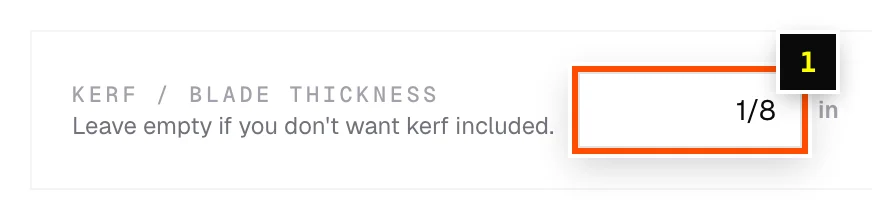
- Step 2: In the toolbar above the editor, find Kerf / Blade thickness.
- Step 3: Type your blade width in your entry unit, for example
1/8or0.125. You can add a unit to override it, such as3.2mm. - Step 4: Leave it empty if you don't want kerf included (for example when laser cutting).
How it's applied
- One kerf is reserved between neighboring parts. Parts stay exactly the size you entered.
- The kerf is saved with each cut list, so reopening a job keeps its blade.
- Rip cuts in cross-section cuts use their own Rip kerf setting.
Related articles
- Sheet nesting methodsChoose between Easiest to cut, Least waste, Batch cutting and CNC / router layouts.
- Edge trimCut a clean strip off every sheet edge before parts are placed.
- Units, fractions and measurement formatsWork in inches and fractions, feet and inches, or metric, and type measurements any way you like.
Didn't find what you need?
Email us and tell us which article you were reading.