Custom fields
Add your own columns to a parts list, such as Room, Cabinet # or Finish.
Available onProBusinessTeam
Updated September 27, 2026Browse all help topics
Add a column
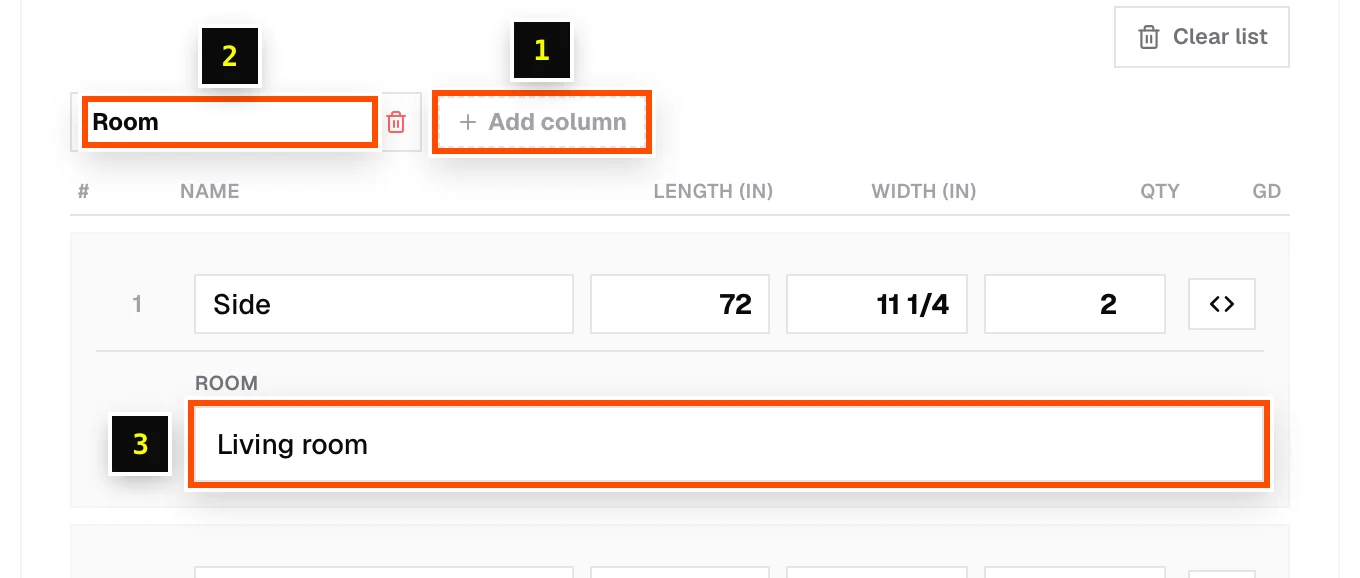
- Step 1: On the Cut List tab, click Add column under Custom fields.
- Step 2: Type the column title, then press Enter or click away to apply.
- Step 3: Fill in values per part.
Imports and exports
- When you import a CSV or Excel file, columns Cutlistor doesn't recognize become custom fields automatically.
- Custom fields are included in CSV/Excel table exports.
Related articles
Didn't find what you need?
Email us and tell us which article you were reading.